Entries tagged as OASIS

The April 2008 issue of the STC Intercom magazine is dedicated to DITA (Darwin Information Typing Architecture).
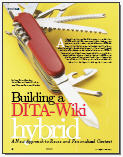
I’m pleased that the Building a DITA-Wiki Hybrid article that I co-authored with Lisa Dyer and Michael Priestly is available online for free to anyone, STC member or non-member. The article discusses these three ideas for merging DITA and wiki technologies:
- DITA Storm, an online DITA editor with an edit button on each page. While it’s not quite a DITA wiki, it seems like it could become one with some RSS notification and comment or discussion ability on each page.
- Wikislices are a cross-section of a wiki such as Wikipedia, currently created with school curriculum in mind. Michael Priestly and I are working on a team to find ways to use DITA maps to manage and build wikislices.
- Lisa Dyer has implemented DITA as a single-source with wiki as output for a documentation site housed behind a Lombardi customer support login.
I’d love to hear your comments on the article here and any other ideas you have seen for a DITA-wiki hybrid.
Categories: DITA · wiki · writing
Tagged: agile, DITA, OASIS, technical writing, training, wiki
From http://dita.xml.org/book/central-texas-dita-user-group
Using DITA Content for Learning Content Development
John Hunt, of IBM, will give a presentation regarding the use of DITA for learning content. He’s been working on a new Learning and Training Content specialization that will be part of OASIS DITA 1.2 release. If you’d like to do a little pre-work, check out this article about using XML (such as DITA) for learning content: http://www.ibm.com/developerworks/xml/library/x-dita9a/

Presenter
John Hunt, DITA Learning and Training Content Specialization SC chair. John is also DITA Architect and Learning Design Strategist in the Lotus Information Development Center at IBM.
I’m also looking forward to Mike Wethington’s presentation to the DITA user group for the May 21 meeting, where he will talk about Agile development and its affect on technical communications. Mike’s the manager of technical communications at Troux Technologies here in Austin.
Categories: DITA · agile
Tagged: agile, DITA, learning, OASIS, technical writing, training
DITA for writers (content creators)
I just did a search on amazon.com for books for beginning technical writers and also to investigate what books are being written for our profession and for others wanting to start in our profession. I came across a book called Writing Software Documentation: A Task-Oriented Approach that suggests three categories for writing:
- writing to teach (for eager learners)
- writing to guide (for reluctant users of the product)
- writing to provide a reference (for experts who need only occasional support)
I immediately saw a connection to the three content types that DITA prescribes:
- concepts to teach understanding
- tasks to guide performance
- reference to offer facts or lists of information
Because writers have to immediately place the information they want to record into one of these three types of information, they are being trained on how to write in a task-oriented, performance-based manner, via DITA. I am especially interested in this “training” for wiki authors and talked about the idea at our recent presentation at the Central Texas DITA User Group meeting.
DITA for publishers (formatters)
Recently a few techpubs bloggers have been talking about DITA and its weaknesses, such as a lack of online help outputs, and how difficult it can be technically if you don’t already have a staff with pseudo-programming skills. Gordon Mclean writes “DITA is not the answer” and I think the question he is trying to answer is, “what is a single-sourcing tool we can use in our environment (which includes Technical Communications, Training, Pre-Sales and Marketing) with our current resources?” Instead of DITA, it looks like he’ll go with Author-it.
Since I just this past year moved from BMC, which is still moving to DITA, to a small techpubs group that uses Author-it, I can understand his reasoning and agree with his business case assessment. The toolchain for DITA is very nearly there, but often a CMS-based approach has too much overhead for small companies. It can be cost overkill when you have few topics to contain.
Scott Nesbitt followed up with his post, “DITA’s not THE answer for single sourcing.” I think he’s spot on with the analysis “it’s difficult to get good PDF or online help from DITA without extensively customizing XSL stylesheets or passing DITA source files through tools like FrameMaker, Flare, or WebWorks.” One of his commenters said something about consultants smelling blood in the water, yikes. In other words, I think he meant that XML consultants knew how much customization would be desired and can have a feeding frenzy on the potential work possibilities. My guess is that the people who have been around XML for years know that there are still basic needs for output, and their experiences have shown them that nothing that is structured is an “out of the box” experience. So much of the success depends on your content to begin with.
I’ve found the same conclusions about the output in my experience. When you dig into single sourcing, be it with DITA or another tool (Madcap Flare, Author-it, FrameMaker, RoboHelp, and the Adobe Technical Communication Suite) the real business-case killer seems to still be, where can I get pretty PDFs that are formatted just as I like them? With DITA, one answer is to go get the Mekon FrameMaker plug-in for the DITA Open Toolkit. No XSLT-FO knowledge required.
People love their tools to get their pretty PDFs or sleek online help systems. Plus, so many of the employers out there have a lot of content that looks pretty nice already in a specific tool. The legacy documentation may be one reason why hasn’t DITA helped our industry get away from tool love. Tech writers and their employers fall in love with tools. I’m not saying Gordon or Scott are tool lovers, but certainly some people they’re hiring will be. There is probably also an element of “if it ain’t broke, don’t fix it.”
DITA for all?
Sarah O’Keefe has a thought-provoking analogy in her comments on her post signed “DITA Dissident.” The analogy is that creating desserts using a frozen pie crust is one method of getting results. If a pretty PDF is your ultimate dessert, then for some, DITA is a bag of flour, meaning you’d better be a skilled baker if you’re going to use it for the best pie (PDF) ever. For others, DITA is a frozen pie crust that makes a perfectly good cherry pie (PDF) or apple pie (plain HTML) or chocolate creme pie (Eclipse help). Although isn’t the filling the content and the pie crust the DITA map?
Their conversation first started with Eliot Kimber discussing DITA’s use for narrative documents. Alan Porter talks about DITA use for narrative writing as well, but in a different line of thought in his post, Is DITA Just a Story?
All the posts I’ve linked to are enjoyable for me to read and to point to and to think about. I’ve read it before, and I’ll say it again, I believe along with others that DITA has the potential to transform our industry. Just last night I said to the San Antonio STC group, today we all speak HTML tags pretty fluently. In ten years, will we all speak DITA tags just as fluently? “I wrote the shortdesc according to the guidelines and it works for the topic, but I am not sure if my conref target is going to be there every time. I guess I should rewrite the concept topic.” Heed the warnings and experiences of others before making the leap to topic-oriented single-sourcing or your expectations and those of your customers may not be met.
Categories: writing
Tagged: author-it, DITA, Eclipse help, information architecture, OASIS, online help, PDF, technical writing, techpubs, troubleshooting, user assistance, Word, XHTML, XML
I read this recent conversation on the author-it-users Yahoo Group with interest. I haven’t had a need to author DITA topics with Author-it, so I have to rely on others for information on how it works. With Mike Stockman’s and Tony Watkin’s permission, I’ve written their Q&A as a blog entry.
Tony: What are your experiences with using Author-it for DITA output?
Mike: The DITA output is partial. That is, they don’t support a lot of DITA features, so that most table definitions are not passed through, bookmaps aren’t supported (although ditamaps are), reflinks aren’t supported, syntax diagrams aren’t supported, and so on. However, it’s definitely usable, so that AIT puts out the four DITA topic types (task, reference, concept, and base) properly structured, index entries are supported, tables and images are handles correctly, and so on. The best test would be to publish to DITA and see whether the results are what you’re expecting.
Tony: Is there a mechanism provided by AuthorIT for being able to search within the DITA XML generated output afterwards from within the browser when accessing the DITA output directly from the browser (i.e. not via AuthorIT)?
Mike: There is no mechanism provided by AIT for viewing DITA output. Once you have the DITA output, you can either view the XML code, or transform it into something more viewable, such as XHTML or PDF. Grab the DITA Open Toolkit, available at <http://dita-ot.sourceforge.net> for all of the tools you’ll need to transform the DITA into something else.
Tony: Also, does AuthorIT just output XML when publishing DITA or does it also produce corresponding XHTML?
Mike: AuthorIT publishes DITA by first publishing to XHTML, and then transforming that to DITA. It does not, however, leave the corresponding XHTML behind, so you can’t view it. Your choices for viewing XHTML would be to either publish from AuthorIT to XHTML directly, or transform the DITA to XHTML.
Mike’s final comments
AuthorIT’s DITA is not a fully-developed DITA solution, so don’t expect it to be. Instead, AuthorIT’s DITA output is great when you have a need for single-sourced output to multiple formats, such as if you needed Word, XHTML, *and* DITA. Where I work, for example, we use AuthorIT’s Word output for our printed docs and PDF, and use the DITA output to create our online help. If you need the advanced features of DITA that AuthorIT doesn’t support, I’d suggest going to an all-DITA authoring environment and avoid AuthorIT altogether.
Categories: tools
Tagged: author-it, DITA, information architecture, OASIS, online help, PDF, technical writing, techpubs, troubleshooting, user assistance, Word, XHTML, XML
I’m feeling a little late to the party of patterns that I’ve been reading about lately, but after attending Michael Hughes’ STC webinar presentation “Pattern Language as a Workshop Management Tool” where we saw patterns for user assistance, and we were really intrigued by an internal wiki page he pulled up giving DITA patterns to IBM info developers. Turns out, he had read my wiki article from STC Intercom and has been working on that internal wiki for a while.
His article, “A Pattern Language for User Assistance” is an excellent read. He introduces the idea that you can use a template to describe where a user might be triggered to seek assistance and then describe how to contextually place assistance and offer wireframe models for others to follow when implementing user assistance. A pattern template can be as simple as “here’s the context, here’s the solution, let’s name it as the How-to pattern.” Michael Hughes’ pattern template is slightly more complex but context and solution are the basic elements.
I went on the hunt for more examples of User Assistance Patterns. I found both JoAnn Hackos’ article “Design Patterns: Creating Consistent Information Designs for Print and Web and the DITA design patterns article on DeveloperWorks. Both are great article, and as a co-worker said, the guys at IBM are doing some of the most advanced information architecture and design available today. And even two and three years ago I might add.
Our group discussed how we’d really like to ensure that our user assistance (UA) patterns follow DITA’s patterns – because in Austin, more and more writers that we would potentially hire will be familiar with DITA. So if our UA patterns already match DITA’s patterns, it’s that much easier to get a new writer up and running.
Don Day said that there is a new Help workgroup with the OASIS DITA Technical Committee that will specify patterns for organizing UA sets. This type of work would help immensely with merged help sets even within one company, not to mention plug-ins for open source software projects and the like.
Don also alerted me to the DITA Troubleshooting plugin contributed by an info dev team at IBM. I plan to investigate further because that work would give any information architect a huge head start on designing topics for troubleshooting. An excellent reusable pattern indeed. They even have 12 role-based elements for use in responses when there is a problem - I imagine the use is for writing different instructions for sysadmins who might respond differently than end-users - but I’d need to really study the implementation.
Bob Doyle has mentioned patterns as well, in this Best Practices Reporting with DITA post. He sees the helpfulness of Object Oriented Design Patterns - which are the famous example among programmers - and he proposes a design patterns domain. Very interesting idea.
So while in some ways I’m late to the pattern party, in other ways, many opportunities still abound for reusable patterns in user assistance and other design patterns for technical communication that can be DITA-based. The ultimate vision - one set of patterns that all technical communicators can use and that these patterns plug in with each other with few seams. (Sewing metaphors should be allowed. This is about patterns, after all.)
Categories: DITA · writing
Tagged: DITA, information architecture, OASIS, patterns, technical writing, techpubs, troubleshooting, ua, user assistance
It was one of those light-bulb-type discussions. Ideas popping and synapses firing. I had lunch with Chris Almond and Don Day this past week, discussing the potential authoring of wiki articles using DITA. We went through possible workflows, from a web-based DITA editor - to authoring in another tool and merely using DITA as an intermediary and transforming to wikitext.
If you know about DITA, you recognize Don Day as the chair of the OASIS DITA Technical Committee. Our lunch companion was Chris Almond, an innovative forward-thinking project manager. From him, I got the sense that internally at IBM, there is a perception of DITA as a technical writer-only tool to have in your toolkit. Chris coordinates and manages the authoring of IBM’s RedBooks, a very popular and technical set of documentation that are not product documentation but rather they show users how to implement a specific set of products, integrated together. He’s coordinating teams to do the scenario-based writing that applies the product in real-world situations. Many techpubs teams are striving towards use cases and scenario writing, and RedBooks are a great model for how to do it well. I know we tried to emulate it at BMC Software, and Bill Gearhart has an article about “Scenarios and Minimalism” in the CIDM Newsletter that discusses scenario and case study authoring.
Chris is trying to figure out how their current writing methodology and processes can be protected but also enhance the tools used and improve the resulting connections after the deliverable is written. Currently they engage with teams of authors to outline scenarios using mindmapping software and then divide up the actual writing assignments according to the author’s experience with the scenario. I immediately thought of JoAnn Hackos’ and Dan Ortega’s suggestions to have field personnel contribute scenarios to a product’s wiki when Chris described their process.
How do you actually empower the teams to write these wiki articles and assemble them into a useful (maybe book-like) wiki? Another question to Chris was, how do you layer an outline or table of contents on to the wiki, and then test and fold in any changes that wiki contributors make?
After at least an hour discussion I’m not sure we ever came up with the correct toolset. Or rather, there was a toolchain that could be used which is certainly do-able but not the ideal that he wanted to get to. I suppose one ideal is a DITA-based wiki with a web editor interface that would change editor strictness based on the author’s permissions. Authors who knew DITA and were most comfortable writing structured tasks, reference, and concept topics would get an XML-validating editor and authors that preferred more free-form would just use a rich-text editor that was nothing more than HTML headings, paragraphs, and lists underneath like what you use in Drupal, WordPress, or Blogger.
Suddenly it became apparent to me (but I won’t and don’t speak for Chris and Don) that some people are more determined to keep the editing quick and easy, but sacrifice that structuring and vetting step that structured authoring gives you.
This realization gives me a sense that there are two camps in technical documentation. There’s the “quick web” folks who connect easily and author easily, and then there’s the “structured quality” camp that requires more thoughtful testing and time spent on task analysis and information architecture. Also, the types of information that these authors are trying to capture are opposed in some senses. Then I thought a diagram might help.
wiki-fast-easy <-----------+-----------> DITA-difficult-tested
high-level scenarios <-----+-----> detailed dialog boxes
With such an easily diagrammed moment, you’d think I’d have an answer for the process we could use for a DITA-based wiki. Unfortunately it’s not quite refined, but I feel a step closer to understanding why this process is difficult to create - because the process is paved with these tradeoffs and apparent compromises and decisions you have to make along the way.
Categories: DITA · wiki
Tagged: case studies, DITA, IBM, minimalism, OASIS, scenarios, social media, structured authoring, technical writing, wiki