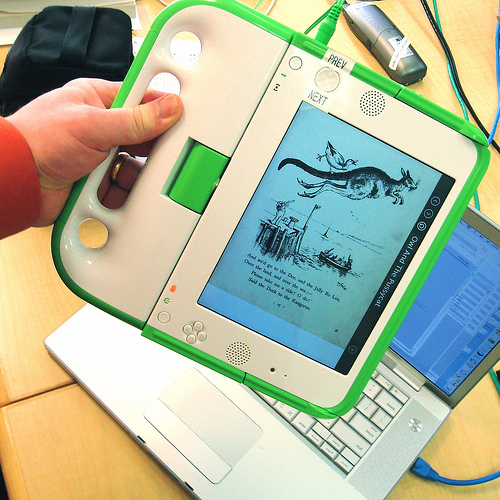
I’m learning more about ebooks thanks to some recent inquiries related to my work for One Laptop Per Child (OLPC) to collaborate on the kid’s user guide. I’ve been so busy with that I’ve barely had time to blog. I’m learning so much it’ll add to the blog entries later.
But I have been noodling on the fact that Amazon’s Kindle and the OLPC XO are at the exact same price – $400 – and that the XO can be used as an ebook reader (PDFs preferred.)
I’m going to try to do a comparison here, but please realize I’m no ebook reader expert nor have I owned one in the past. So I really have no business writing this at all other than my innate curiousity and love of researching and then presenting information.
On to the interesting comparison – let’s look at other parameters, and feel free to suggest your own. Like I say, I have no business writing an ebook comparison so do pitch in where you see fit.
Amazon’s Kindle ebook reader versus the One Laptop Per Child XO in ebook mode
| Comparison item | Kindle | XO |
| Dimensions | 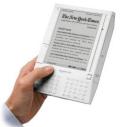 7.5″ x 5.3″ x 0.7″, weighs 10.3 ounces 7.5″ x 5.3″ x 0.7″, weighs 10.3 ounces |
 9.5″ x 9.0″ x 1.25″, weighs about 3 pounds 9.5″ x 9.0″ x 1.25″, weighs about 3 pounds |
| Price | $400, free shipping | $400, about $25 shipping, $200 is a tax-deductible donation, so slight discount depending on your US tax bracket, I suppose |
| Content | DRM content, can’t read PDFs unless you have a Windows PC and convert them first. | Mostly PDF, but plans for more format support. With the built-in browser (Browse Activity), many reading materials are available such as Project Gutenberg. |
| Usability | Robert Scoble has a harsh usability review of the Kindle. | Robert Nagle I hope will review it in the future, but he has a great review of the possibilities as an ebook reader for kids. And I like the review written by a 12 year old. |
| Battery | 30 hours | 4-5 hours |
| Wireless connectivity | Uses a wireless cellular network it calls Whispernet to deliver your Kindle content. It’s EVDO. | Uses 802.11b and comes with a free one-year subscription to T-Mobile wireless service. |
| Screen | monochrome: 600 x 800 pixels (167 dots per inch) | monochrome: 1200 x 900 pixels (200 dots per inch), color: 1024×768 perceived (it’s complicated, see the hardware specs PDF.) |
| Warranty | one year | 30 days |
Gizmodo already put the Kindle up against the Sony Reader in this online poll. I realize that the OLPC XO is intended to be a kids laptop, and it’s not really fair to pit it against the Kindle because that’s not the design of the device (nor the intentions of the project behind the device.) But your $400 might be well spent here.
By the way, I read about expected XO delivery information from the new XO User’s Facebook Group 50 members and growing. If you order now, you’ll get your laptop arund the same time as a child in Afghanistan, Cambodia, Haiti, Mongolia or Rwanda – in early 2008. See Shipping information on laptop.org.